
Get Your Migration Quote in Minutes
Connect your Microsoft 365 or Google Workspace tenant and receive an instant, accurate migration quote — entirely self-service.
No scripts to download, no software to install, no waiting for a callback. Our Quote as a Service tool connects directly to your tenant via OAuth, discovers all your resources, and generates your migration quote on the spot — completely free.
From connection to quote in 3 easy steps
Quote yourself in just a few minutes — no technical knowledge required, no sales call needed.
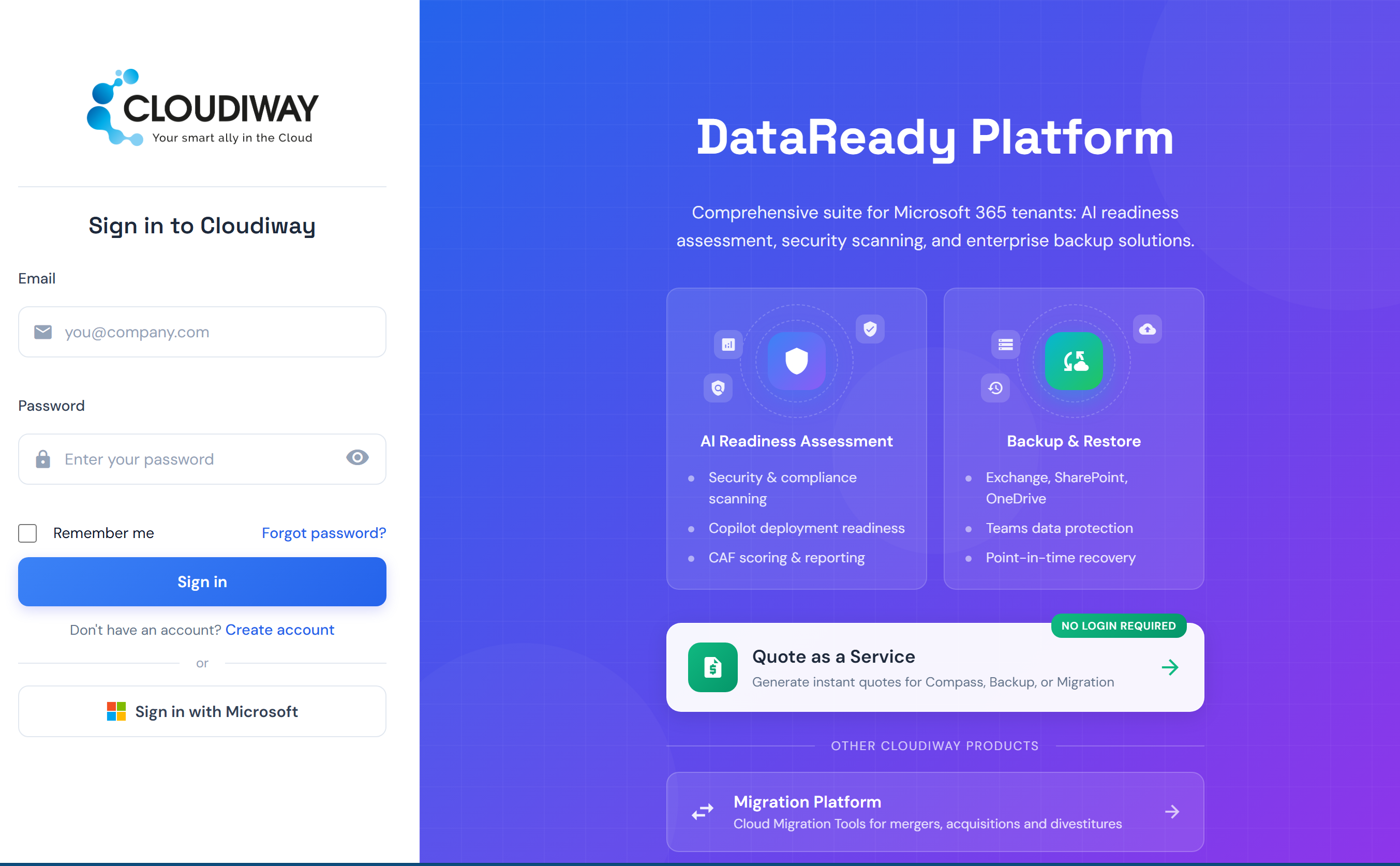
Go to compass.cloudiway.com and click Quote as a Service — no login required. Sign in with your Microsoft 365 or Google Workspace admin account via OAuth.
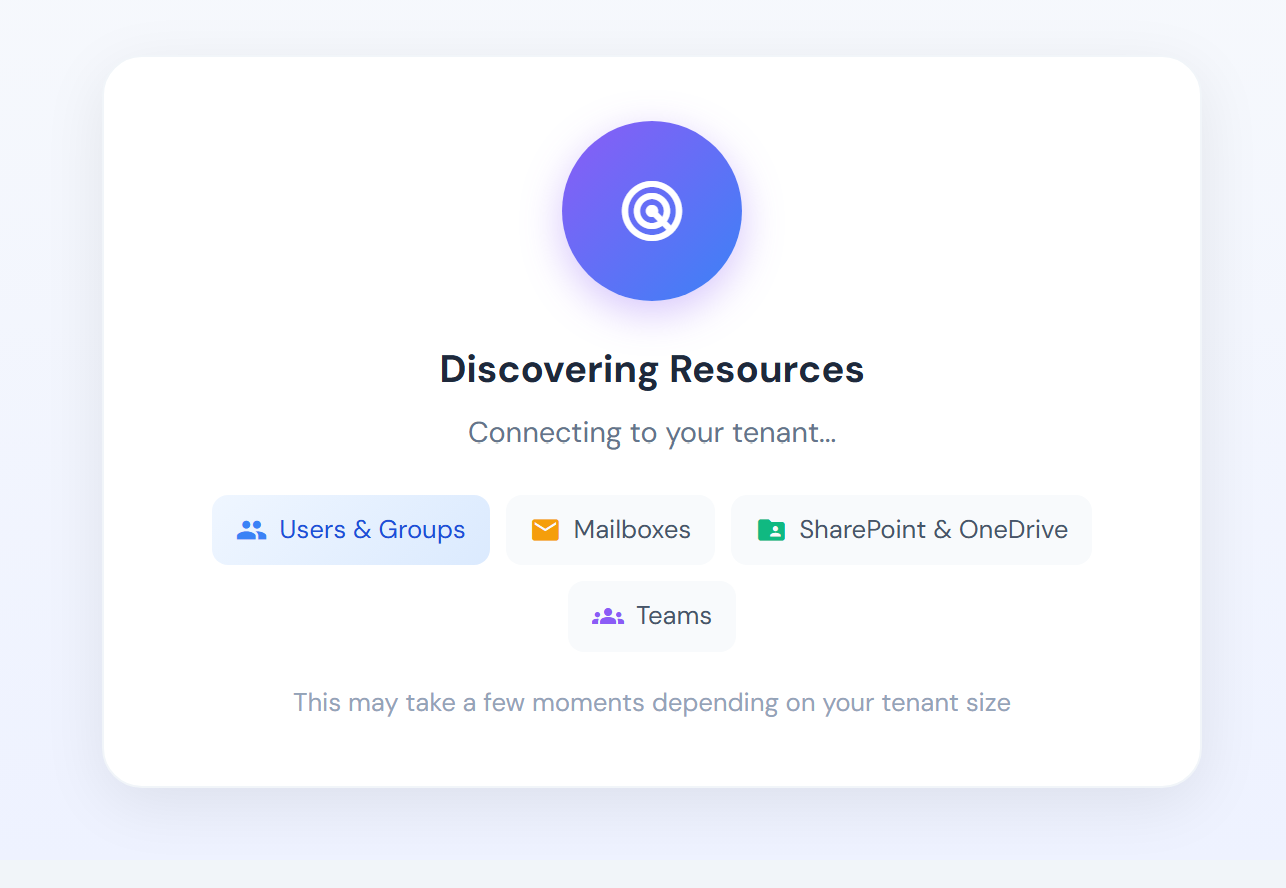
Sit back while the tool scans your environment. It automatically discovers and counts all your resources using read-only permissions.
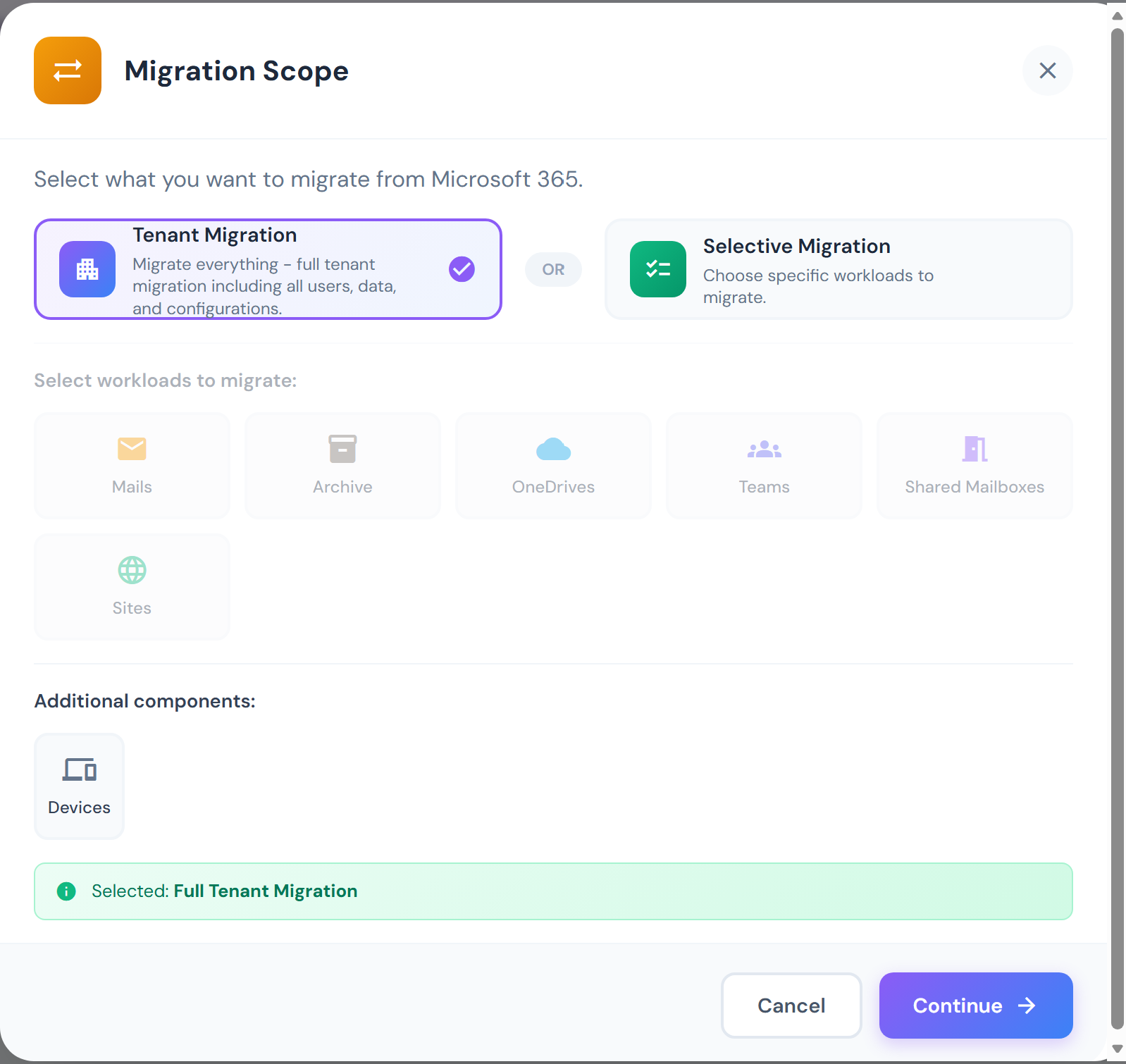
Choose a full tenant migration or select specific workloads (Mail, OneDrive, Teams, SharePoint, Archive...). Your quote is generated instantly based on your actual environment — no waiting, no sales call.
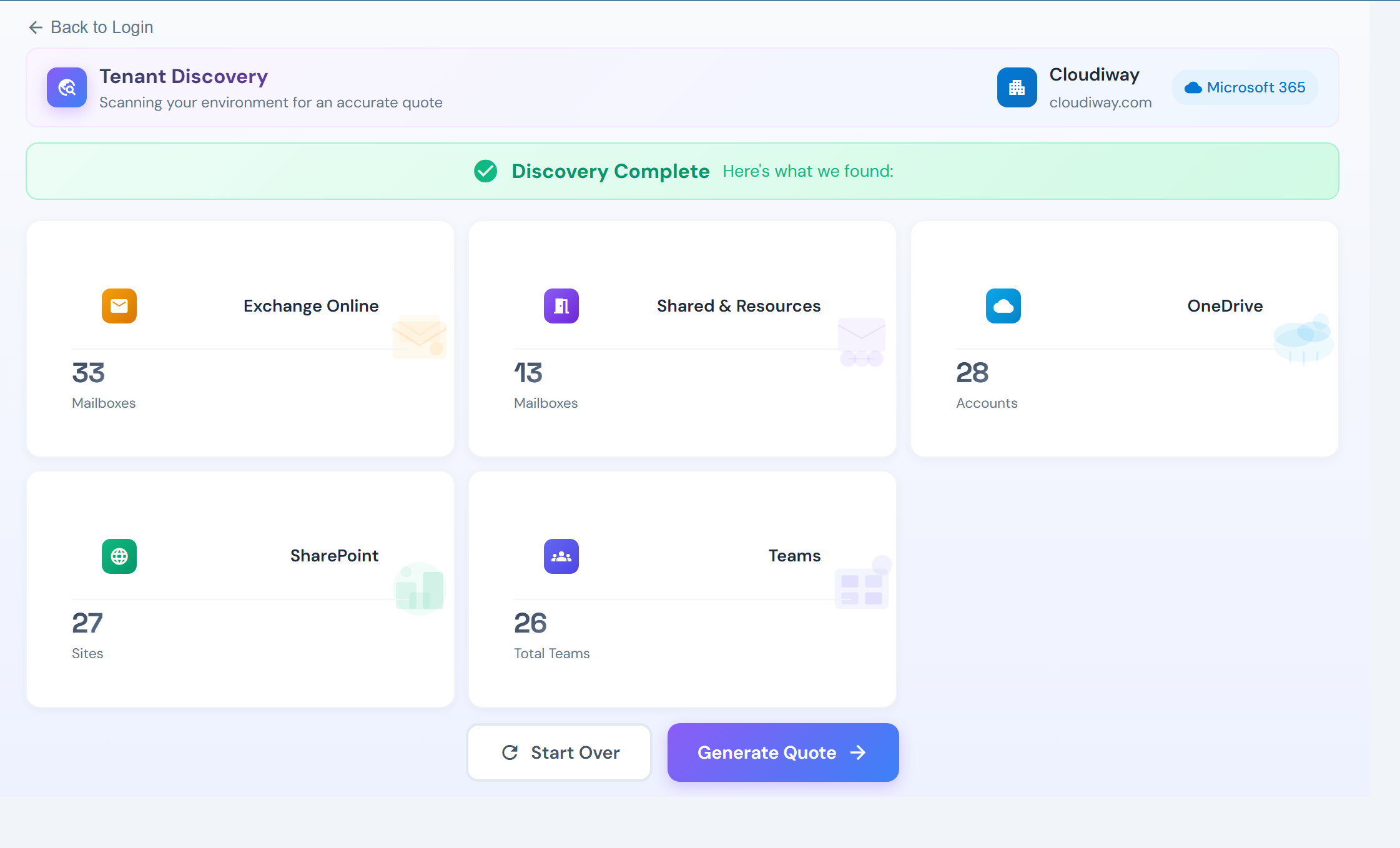
A complete picture of your environment and an instant quote
The tool scans every corner of your tenant, presents the results in a clear dashboard, and gives you an accurate price — on the spot.
Your data stays safe
Read-Only Access
The tool only reads and counts resources. No data is ever copied, moved, or modified in your tenant.
OAuth Authentication
We never see your password. Authentication is handled directly by Microsoft or Google through their secure OAuth flow.
Certified & Compliant
ISO 27001 certified, SOC 2 Type II audited, GDPR and HIPAA compliant. Trusted by 3M+ migrations worldwide.
Ready to quote your migration?
Connect your tenant, get a full inventory, and receive your quote instantly. No commitment, no credit card, no sales call.
Frequently Asked Questions
How does the self-service quote work?
Go to compass.cloudiway.com, click "Quote as a Service", and connect your Microsoft 365 or Google Workspace tenant via OAuth. The tool automatically scans your environment — mailboxes, OneDrive, SharePoint, Teams — and generates an accurate migration quote on the spot. No scripts, no software, no sales call.
Do I need to create an account?
No. Just click "Quote as a Service" on compass.cloudiway.com and connect directly with your Microsoft or Google admin account. You'll have your quote in minutes.
Is my data safe during the process?
Absolutely. The tool uses read-only OAuth permissions — it can only count and inventory your resources. No data is copied, moved, or modified. Cloudiway is ISO 27001 certified, SOC 2 Type II compliant, GDPR and HIPAA compliant.
How long does it take to get my quote?
Typically a few minutes, depending on the size of your tenant. The tool scans Users & Groups, Mailboxes, SharePoint & OneDrive, and Teams in parallel, then generates your quote instantly.
What migration scenarios are supported?
The quote covers tenant-to-tenant Microsoft 365 migrations, Google Workspace to Microsoft 365, cross-platform migrations, and selective workload migrations (mail only, files only, Teams only, etc.).
Can I choose which workloads to include in my quote?
Yes. After discovery, you can choose a full tenant migration or select specific workloads: Mails, Archive, OneDrives, Teams, Shared Mailboxes, SharePoint Sites, and Devices. Your quote adjusts accordingly.