
AI Readiness Assessment for Microsoft 365 Copilot
The automated AI readiness platform that scans your Microsoft 365 tenant in 90 minutes, delivers an objective CAF Score, and identifies oversharing, dormant guests and permission sprawl before you deploy Copilot. For IT leaders deploying Microsoft 365 Copilot at scale.
SOC 2 Type II · GDPR-compliant · Read-only OAuth · No agent · No data stored

What is an AI Readiness Assessment?
An AI Readiness Assessment is an automated audit of a Microsoft 365 tenant that evaluates security posture, permission sprawl, data exposure and AI governance before deploying Microsoft 365 Copilot. The Cloudiway AI Readiness Assessment scans Microsoft Teams, SharePoint Online, OneDrive for Business, Exchange Online, Entra ID and Microsoft Purview against the Cloud Adoption Framework (CAF), produces an objective AI readiness score from 1.0 to 5.0, and delivers a prioritized 30-day remediation roadmap.
Microsoft 365 Copilot inherits every permission decision your organization has ever made. An AI readiness check identifies the gaps Copilot would amplify — anonymous sharing links, dormant guest accounts, admin accounts without MFA, sensitive files without sensitivity labels — and turns them into a quantified risk score. Where a manual AI readiness audit takes 8 to 10 days across PowerShell scripts, multiple admin portals, and tens of CSV files, an automated AI readiness assessment platform like Cloudiway runs end-to-end in roughly 90 minutes and produces three deliverables: an executive PDF, a detailed risk PDF, and a technical Excel workbook.
- AI readiness check — quick OAuth-based scan, no agent to install, no impact on production users.
- AI readiness audit — full coverage across 100+ security checks in 19 risk categories.
- AI readiness platform — interactive UI to track remediation progress and re-score over time.
- Microsoft AI readiness assessment — covers the same Microsoft 365 surface as Microsoft's native readiness tools, with deeper permission scanning and a CAF-aligned score.
What Sets Us Apart
How Cloudiway compares to manual approaches and other solutions
| Capability | Manual / Scripts | Competitors | Cloudiway |
|---|---|---|---|
| Microsoft CAF-aligned scoring | - | Partial | Full |
| MSP white-labeling | - | - | Full |
| Time-to-value < 2 hours | - | Partial | Yes |
| Executive Summary PDF | - | Partial | Yes |
| Risk management UI + remediation | - | - | Built-in |
| No third-party license required | - | - | Yes |
Why Microsoft 365 Copilot Needs an AI Readiness Audit First
Microsoft 365 Copilot respects existing permissions. If data is overshared, Copilot surfaces it to the wrong people — at machine speed. An AI readiness assessment uncovers four high-impact risk classes plus 100+ additional checks before deployment.
Anonymous Sharing Links
Anyone with the link can access sensitive documents - Copilot makes finding them even easier.
Dormant Guest Accounts
External users who haven't signed in for 90+ days still have access to your data.
Admins Without MFA
Administrator accounts without multi-factor authentication are critical security vulnerabilities.
External Mail Forwarding
Mailboxes automatically forwarding emails outside your organization create data leakage risks.
How It Works
From connection to reports in under 2 hours
Connect Tenant
OAuth consent with read-only delegated permissions. Setup takes 5 minutes, no agents to install.
Automated Scan
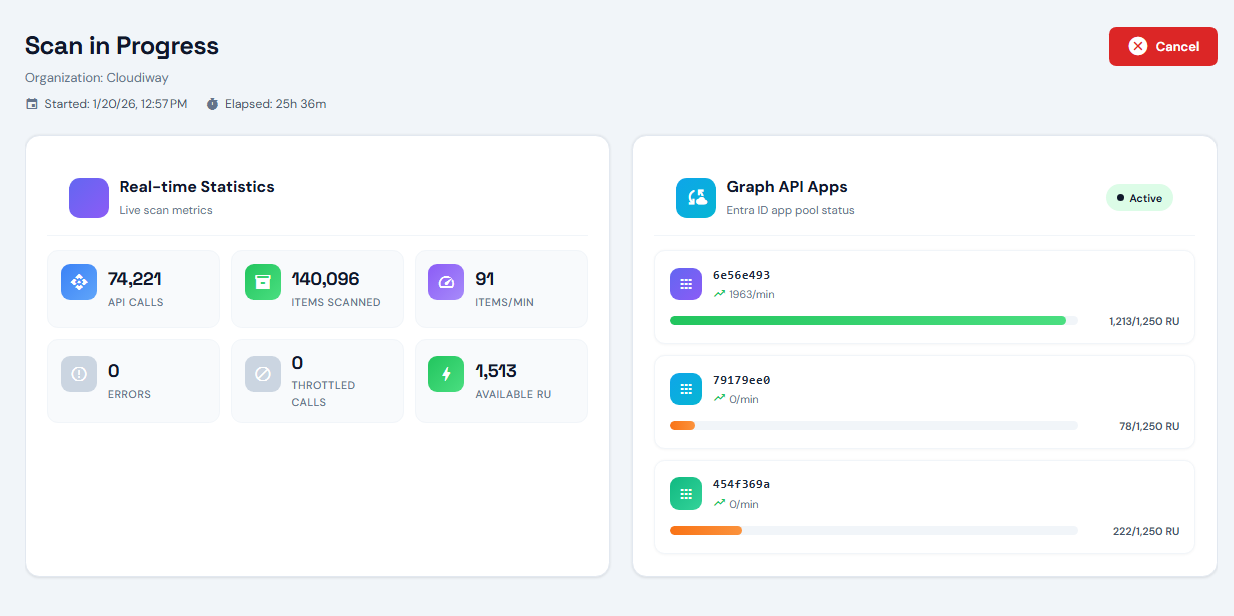
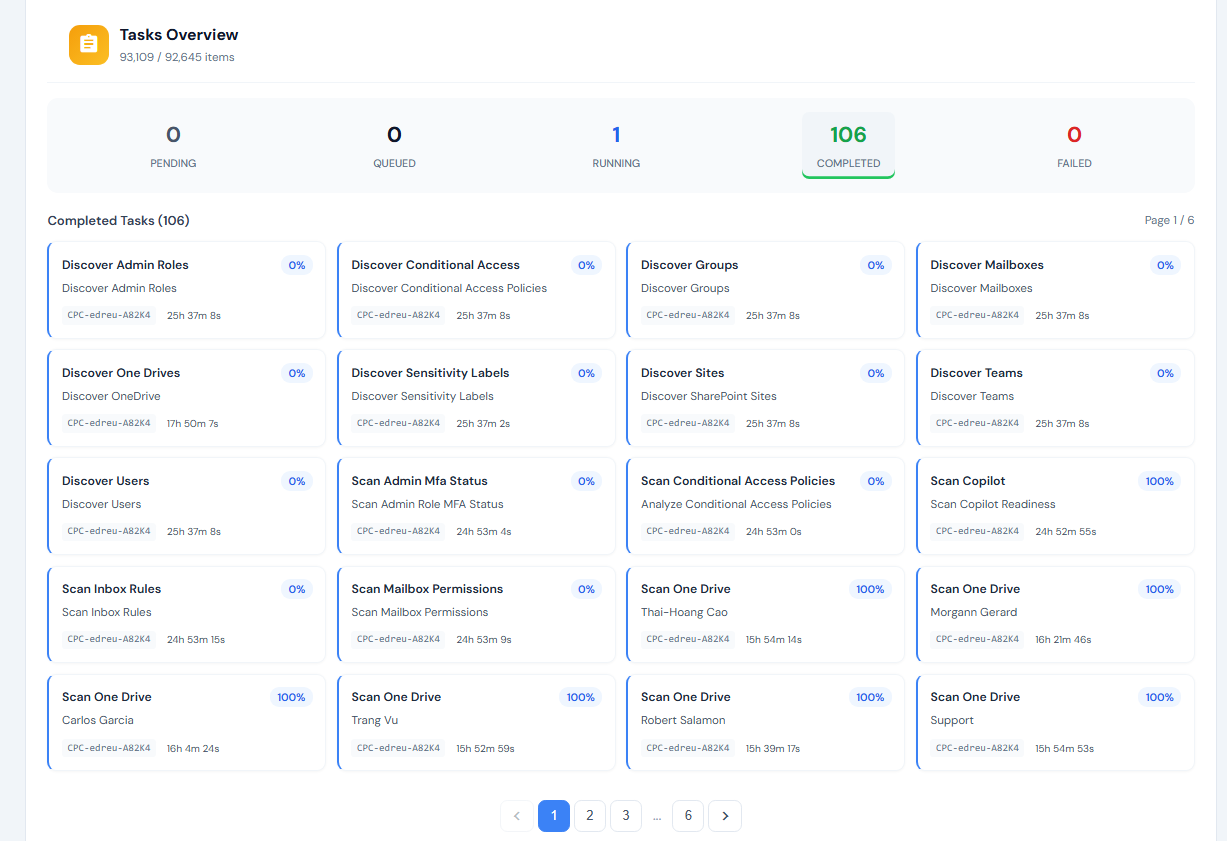
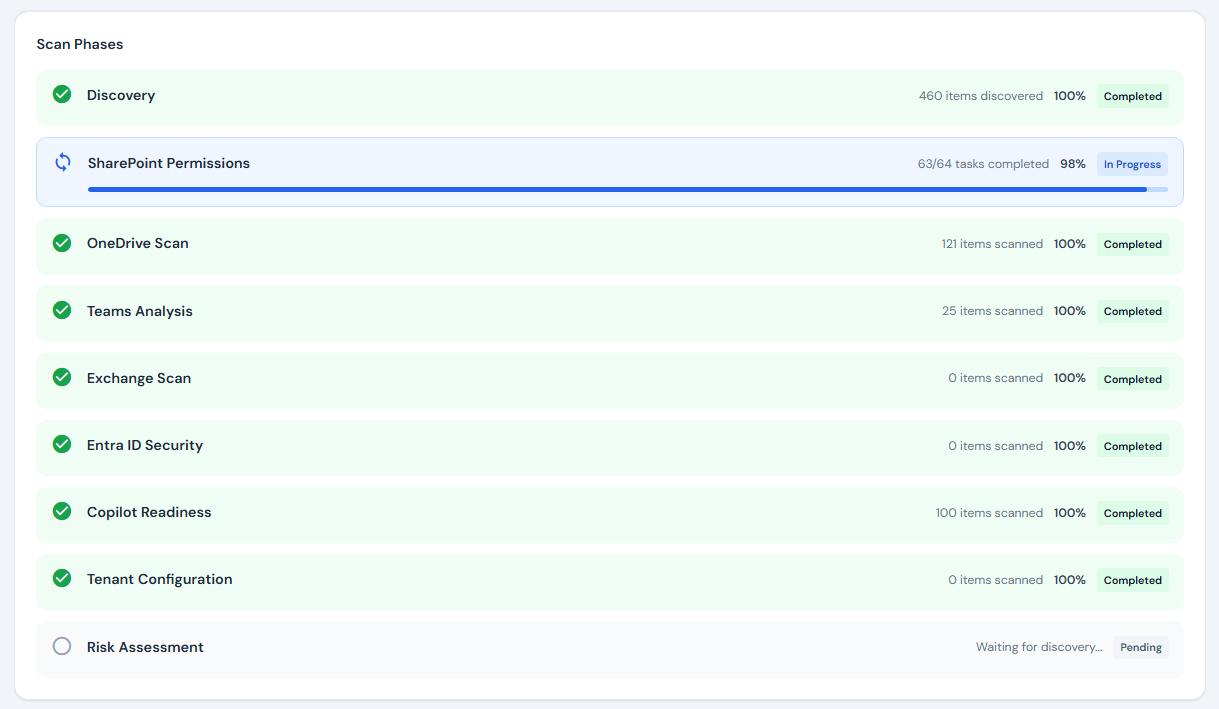
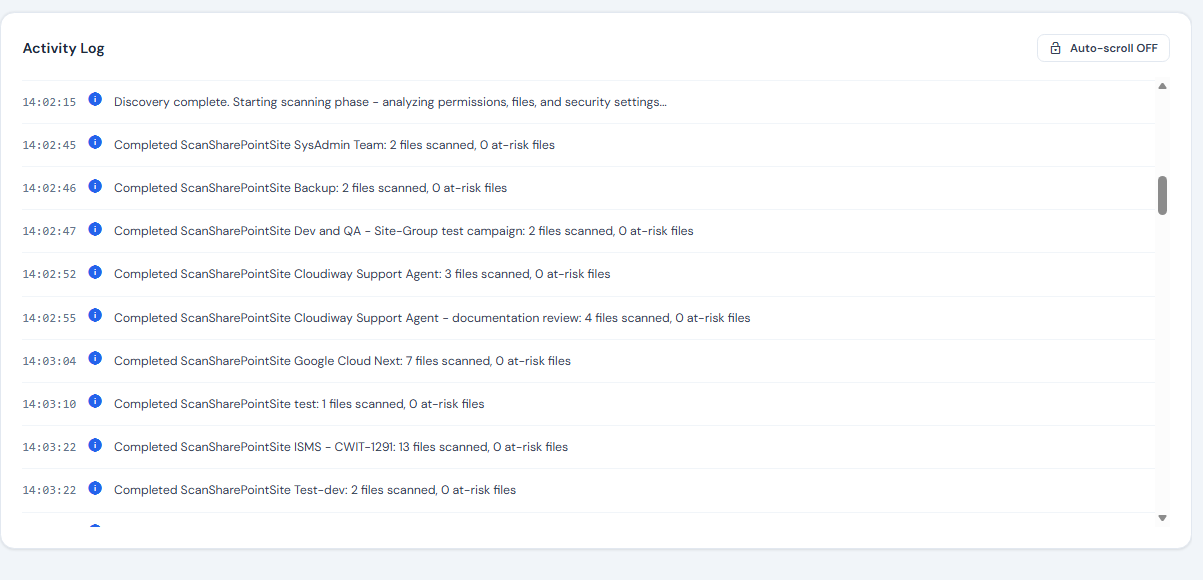
90-minute automated scan across Teams, SharePoint, OneDrive, Exchange, Entra ID, and Purview. 100+ security checks.
Reports & Manage
3 white-labeled reports (Executive PDF, Risk PDF, Technical Excel) plus interactive Risk Management UI for remediation tracking.
See the Platform in Action
Real-time scanning and comprehensive risk analysis
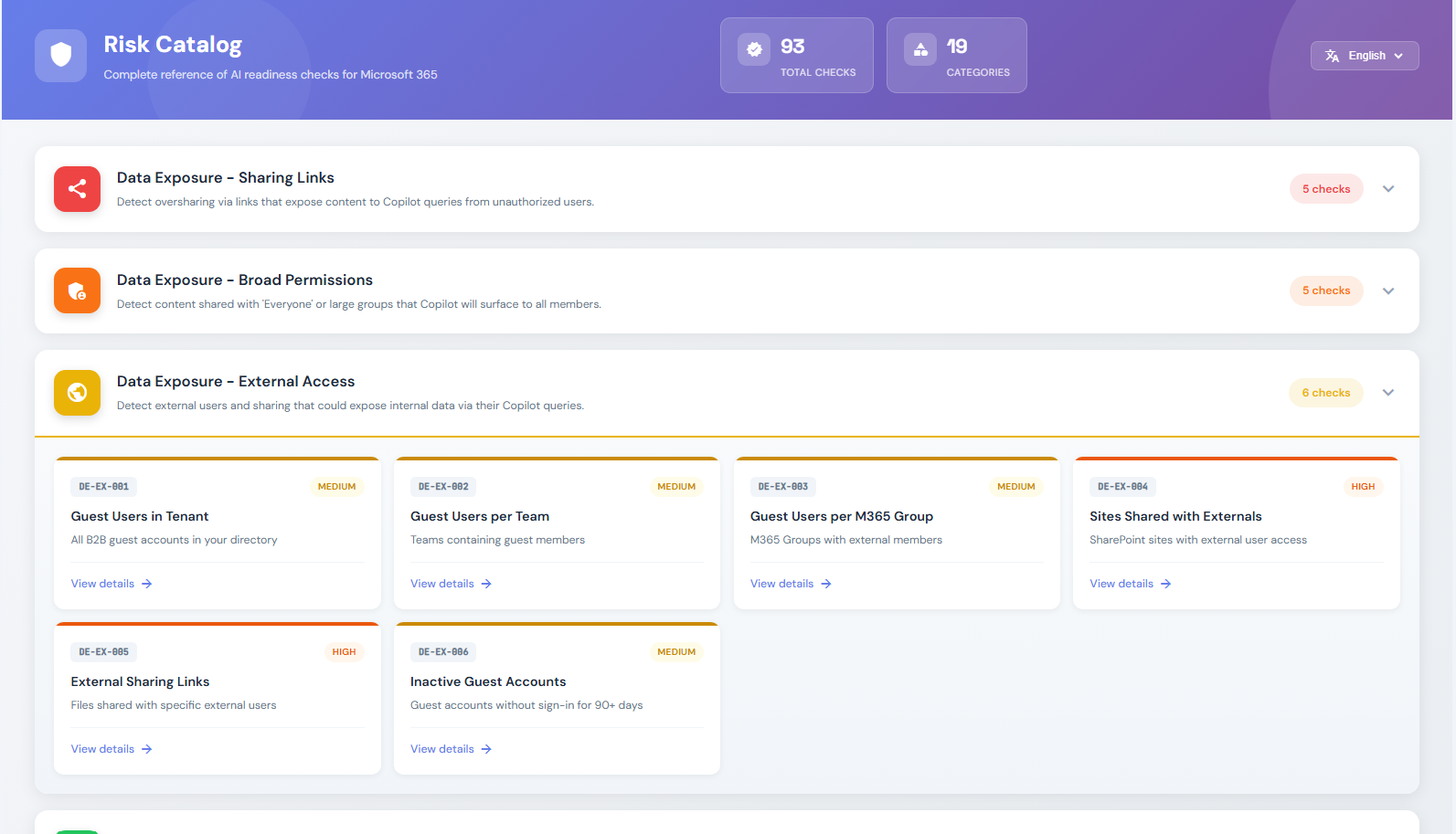
Comprehensive Risk Detection
100+ security checks organized in 19 risk categories
What You Deliver to Customers
Three white-labeled reports plus an interactive risk management UI
Executive Summary PDF
6-page C-level report with CAF Score, key findings, risk overview, and strategic recommendations. Fully white-labeled with your brand.
C-Level ReadyRisk Assessment PDF
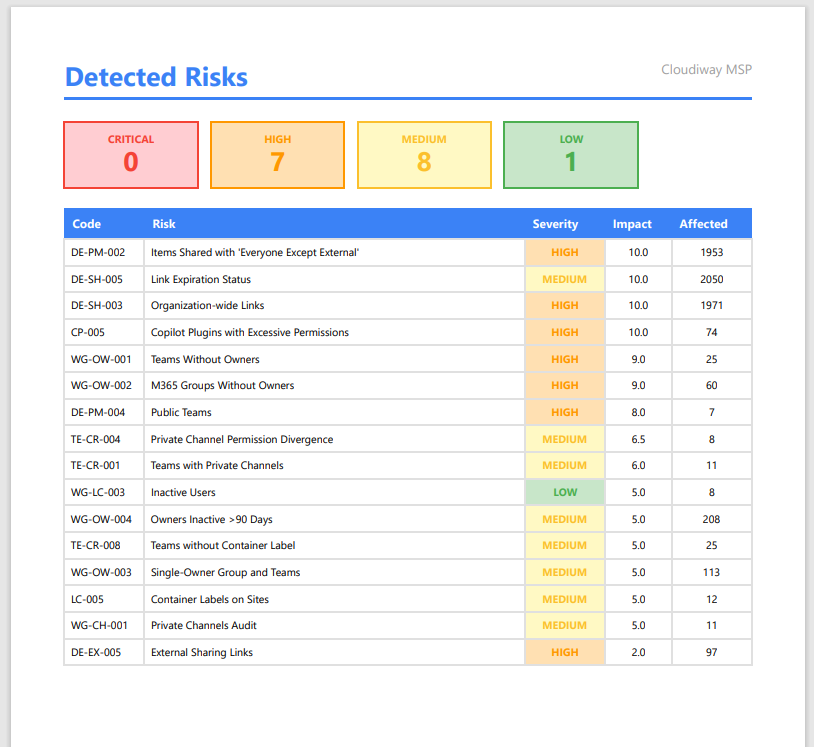
Detailed risk inventory organized by severity (Critical, High, Medium, Low). Each risk includes description, impact, and remediation steps.
Technical DetailTechnical Report Excel
8-tab workbook with raw scan data, permission matrices, risk scoring, and actionable remediation checklist for your technical team.
Raw DataRisk Management UI
Interactive web dashboard to track remediation progress, manage risk lifecycle, and demonstrate improvement over time to customers.
InteractiveExecutive & Technical Reports
White-labeled reports for different stakeholders

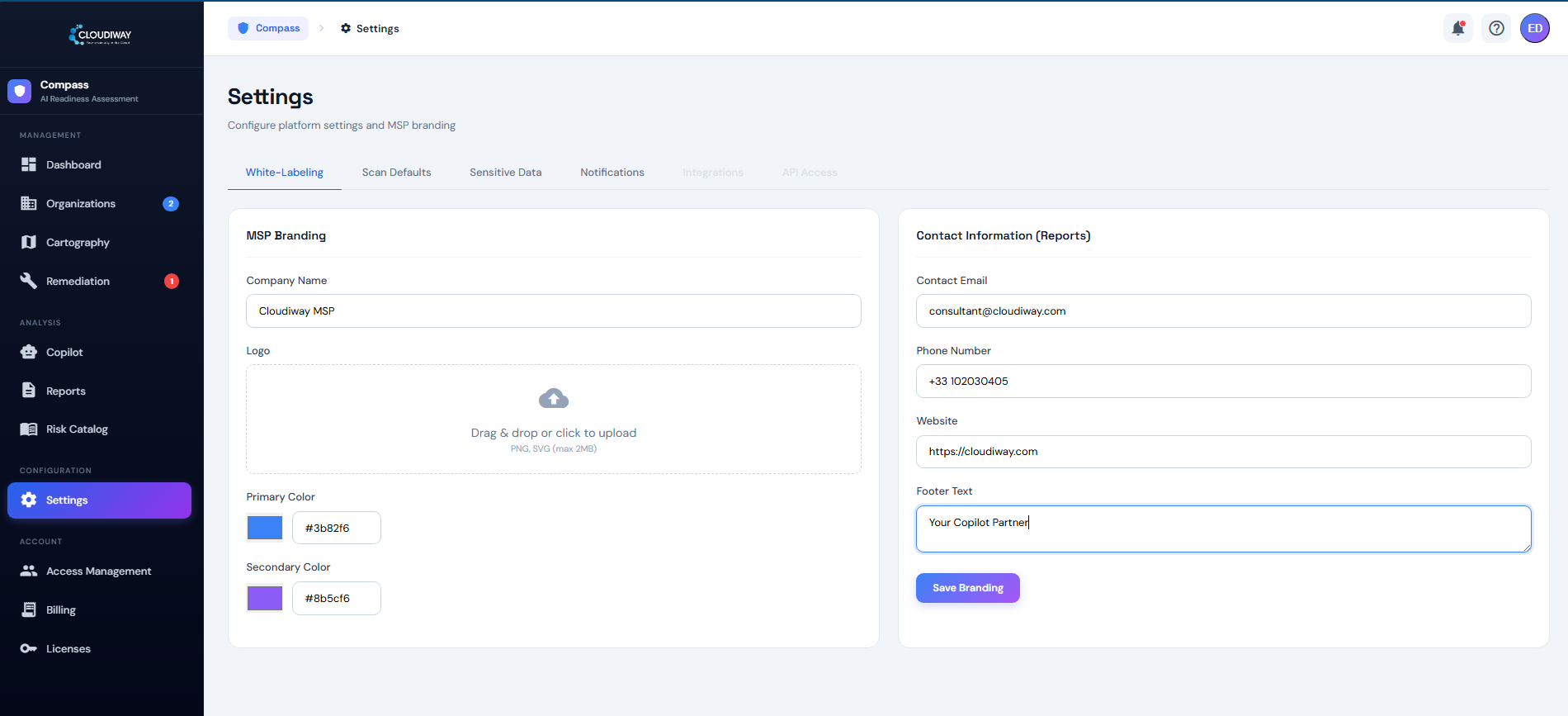
White-Label Ready for Partners
Your brand on every report, email, and platform interface
What We Scan
Comprehensive coverage across all Microsoft 365 workloads
Microsoft Teams
- High-risk items
- Guest users
- Shadow users
- Ownerless Teams
- Private channels
SharePoint Online
- Anonymous links
- External users
- Everyone shares
- Broken inheritance
- Sensitive files
OneDrive for Business
- External shares
- Anonymous links
- Chat Files exposure
- Attachments folders
Exchange Online
- External forwarding
- Suspicious inbox rules
- Full access delegates
- Calendar delegation
Entra ID
- Admins without MFA
- Dormant guests
- Conditional Access gaps
- Guest edit permissions
Microsoft Purview
- Unlabeled sensitive files
- DLP policy gaps
- Unprotected PII/financial data
Your Readiness Benchmark
Objective scoring based on Cloud Adoption Framework pillars
Four Pillars of AI Readiness
Sharing exposure, anonymous links, external access, oversharing detection
RBAC, admin roles, guest lifecycle, Conditional Access policies
Sensitivity labels, DLP policies, MFA coverage, audit logging
Copilot licensing readiness, AI-specific policies, data boundary controls
Score Interpretation
AI Readiness Assessment FAQ
Common questions from MSPs and partners
01 What is an AI Readiness Assessment?
An AI Readiness Assessment is an automated audit of a Microsoft 365 tenant that evaluates security posture, permission sprawl, data exposure and AI governance before deploying Microsoft 365 Copilot. The Cloudiway AI Readiness Assessment scans Microsoft Teams, SharePoint Online, OneDrive for Business, Exchange Online, Entra ID and Microsoft Purview against the Cloud Adoption Framework, delivers a CAF Score from 1.0 to 5.0, and produces a prioritized 30-day remediation roadmap.
02 What is an AI readiness platform?
An AI readiness platform is a SaaS tool that automates the discovery and scoring of risks an AI assistant such as Microsoft 365 Copilot would surface once enabled. A complete AI readiness platform combines a metadata scanner across the productivity suite, a scoring engine aligned to a recognized framework (typically the Microsoft Cloud Adoption Framework), executive and technical reports, and an interactive UI to track remediation. Cloudiway is the dedicated AI readiness platform for Microsoft 365 environments.
03 Why is an AI readiness assessment needed before deploying Microsoft 365 Copilot?
Microsoft 365 Copilot respects existing permissions. If data is overshared, Copilot surfaces it to the wrong people at machine speed. An AI readiness audit identifies anonymous sharing links, dormant external guests, and admin accounts without MFA that could lead to data exposure, compliance violations and security breaches. It is a prerequisite to any responsible Copilot deployment.
04 How is the Cloudiway AI Readiness Assessment different from Microsoft's native AI readiness assessment tools?
Microsoft's native AI readiness assessment tools (Microsoft 365 admin center, Copilot Dashboard, Microsoft Purview Insights) provide high-level checklists and general guidance. The Cloudiway AI Readiness Assessment goes deeper: full per-permission scanning across SharePoint, OneDrive, Teams, Exchange, Entra ID and Purview, proactive risk detection with severity scoring, a quantified CAF Score from 1.0 to 5.0, environment-specific 30-day action plans, and comparable benchmarks across hundreds of real tenants. It complements rather than replaces Microsoft's native tooling.
05 What is the CAF Score?
The CAF Score (Cloud Adoption Framework Score) is an objective AI readiness benchmark from 1.0 to 5.0, calculated across four weighted pillars: Data Exposure (40%), Access Governance (25%), Data Protection (25%) and AI Governance (10%). A CAF Score of 3.5 or higher indicates the Microsoft 365 environment is ready for safe Copilot deployment; 4.5 or higher is the recommended target for enterprise rollout.
06 What Microsoft 365 workloads are scanned during the AI readiness check?
We scan Microsoft Teams, SharePoint Online, OneDrive for Business, Exchange Online, Microsoft 365 Groups, Entra ID (Azure AD) and Microsoft Purview. This includes 100+ security checks across 19 risk categories — all automated in approximately 90 minutes via a read-only OAuth connection to the tenant.
07 How long does an AI readiness audit take?
After connecting the tenant via OAuth (5 minutes setup), the automated AI readiness audit completes in approximately 90 minutes. Three reports (Executive PDF, Risk PDF, Technical Excel) are generated automatically, along with access to the interactive Risk Management UI for remediation tracking.
08 Is my Microsoft 365 data safe during the assessment?
Yes. The Cloudiway AI Readiness Assessment uses read-only delegated permissions and never modifies tenant data. No content is stored on Cloudiway servers — only metadata is analyzed. Cloudiway is SOC 2 Type II certified, GDPR-compliant, with strict tenant isolation.
09 What deliverables are generated by the AI readiness assessment?
Three reports plus an interactive UI: an Executive Summary PDF (6 pages, C-level ready), a detailed Risk Assessment PDF with findings by severity, and a Technical Report Excel (8 tabs with raw data and remediation steps). The interactive Risk Management UI then tracks remediation progress and CAF Score evolution over time.
10 How does an automated AI readiness assessment compare to a manual audit?
Manual AI readiness audits take 8 to 10 days using PowerShell scripts and 5 to 10 different tools, sample only a portion of the tenant, and produce findings that vary by auditor. The Cloudiway AI Readiness Assessment automates the entire process in 90 minutes with full Microsoft CAF-aligned scoring, 100% tenant coverage, a built-in risk management UI, and reproducible objective results.
11 What happens after the AI readiness assessment is complete?
You receive a detailed report with your CAF Score, a prioritized list of detected risks and a 30-day remediation action plan. Remediation can be executed in-house, by Cloudiway professional services, or by your MSP partner. After remediation, a free re-assessment validates the improved CAF Score before Copilot rollout.
12 Does the AI readiness assessment scale to enterprise and large tenants?
Yes. The platform scales from small businesses to enterprises with 100,000+ users. High-performance parallel processing handles millions of items across SharePoint and OneDrive without throttling end users. Contact sales for enterprise and dedicated infrastructure pricing.
13 How often should I run an AI Readiness Assessment after deploying Copilot?
We recommend running a full AI Readiness Assessment before initial Microsoft 365 Copilot deployment, then quarterly delta scans to track CAF Score evolution and catch new oversharing risks as users create content. Major Microsoft 365 changes — license tier shifts, M&A activity, new tenants, or bulk SharePoint reorganizations — should trigger an immediate reassessment so the Copilot exposure surface stays under control.
14 Can MSPs and Microsoft partners white-label the AI readiness assessment platform?
Yes. Full white-label branding is available for Managed Service Providers and Microsoft partners — your logo, your colors, your company name on every report, every email, and the platform interface itself. See the AI Readiness MSP Program for partner enablement, joint go-to-market and revenue programs.
15 What ROI can MSPs expect from offering AI readiness assessments?
For a typical MSP: 96% margins per assessment, $50K to $100K+ recurring revenue per client including remediation services, and a scalable practice handling 20+ assessments per month. The assessment also opens follow-on opportunities in Copilot licensing, deployment services and ongoing governance.
AI Readiness Resources
Documentation and related solutions
Learn about safe Copilot deployment strategies
Learn more User GuideStep-by-step documentation for AI Readiness Assessment
Learn more Product SheetDownload the AI Readiness Assessment product sheet
Learn more Executive PresentationDownload the AI Readiness Assessment presentation
Learn more Contact SalesGet a custom quote for your organization
Learn more AI Readiness Checklist for Microsoft 365 CopilotThe 6-domain checklist IT leaders use before activating Copilot
Learn moreConnect your tenant via read-only OAuth, get your CAF Score in 90 minutes, and deploy Microsoft 365 Copilot with confidence.