
SaaS Backup for M365 & Google Workspace
Enterprise-grade backup solution for Microsoft 365 and Google Workspace. Protect your mailboxes and drives with automated backups, point-in-time recovery, and AES-256 encryption.

What is Cloudiway SaaS Backup?
Cloudiway SaaS Backup is an enterprise data protection platform that creates automated, independent backups of your Microsoft 365 and Google Workspace environments. It protects mailboxes (Exchange Online, Gmail), drives (OneDrive, Google Drive, Shared Drives), contacts, and calendars against accidental deletion, ransomware, malicious insiders, and retention policy gaps.
With point-in-time recovery, AES-256 encryption, customer-managed encryption keys, and flexible storage options (Cloudiway Datacenter, Azure Storage, Amazon S3), Cloudiway Backup gives you full control over your organization's data protection strategy.
Built for MSPs & Enterprise
Manage multiple organizations from a single, centralized console
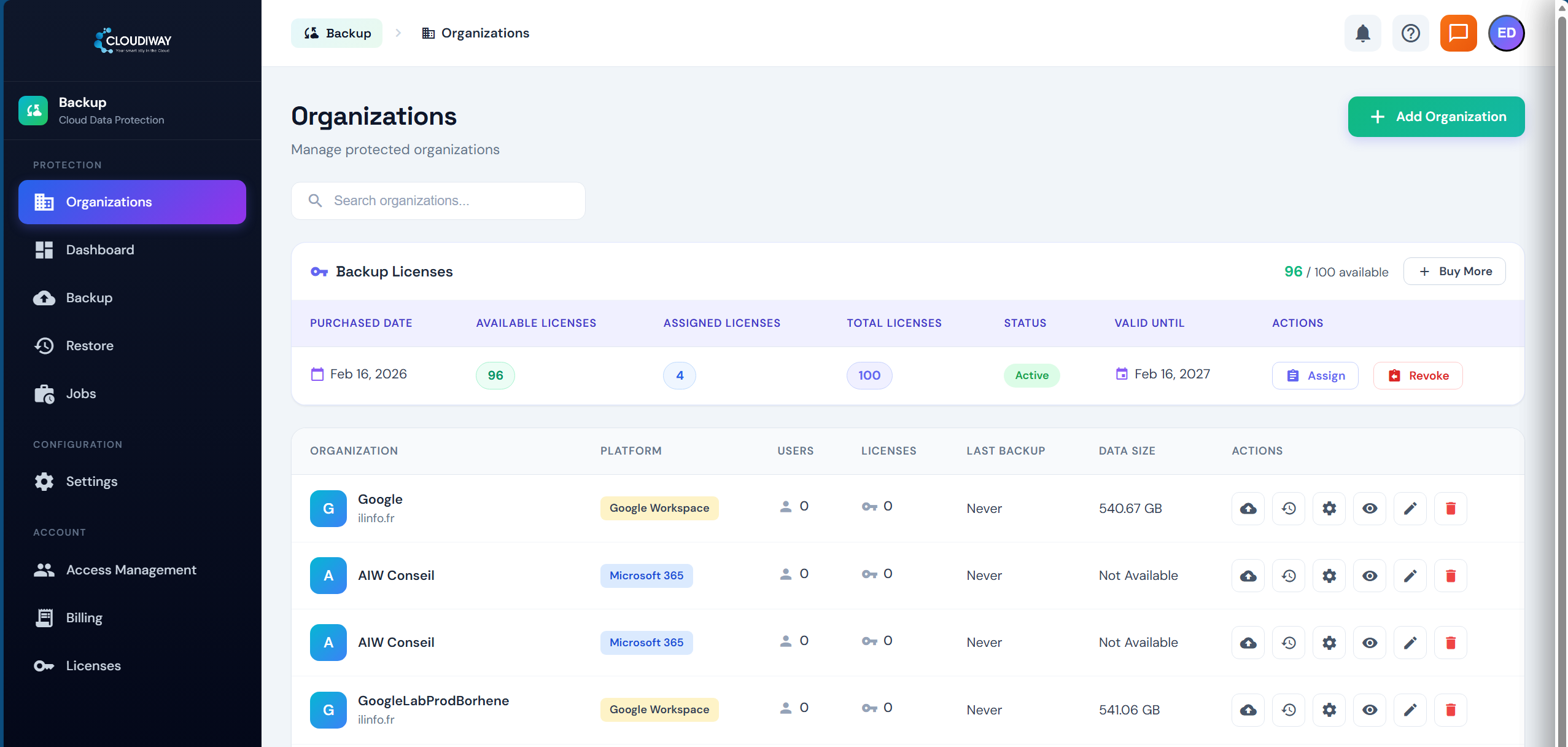
Cloudiway Backup is designed for Managed Service Providers and enterprises managing multiple tenants. The Organizations dashboard gives you a bird's-eye view of all protected environments, including platform type, user count, license allocation, backup status, and data size.
Centralized license management lets you purchase backup licenses in bulk and assign them across organizations. Track usage, monitor backup health, and manage billing from one place.
Add Microsoft 365 and Google Workspace organizations side by side, each with their own backup policies, storage locations, and encryption settings.
Select, Configure & Protect
Auto-discover users and drives, then choose exactly what to back up

The Backup Configuration screen auto-discovers all mailboxes and drives in your organization. Filter by type (User, Shared, Archive) and status (Active, Archived) to quickly find what you need.
Toggle backup on or off for individual users, or use Enable All / Disable All for bulk operations. Each user shows their mailbox type, status, last backup date, and data size.
Switch between the Mailboxes and Drives tabs to manage email and file backups independently. Launch an immediate backup or save the configuration for scheduled runs.
Choose Your Storage Location
Full control over where your backup data is stored and encrypted
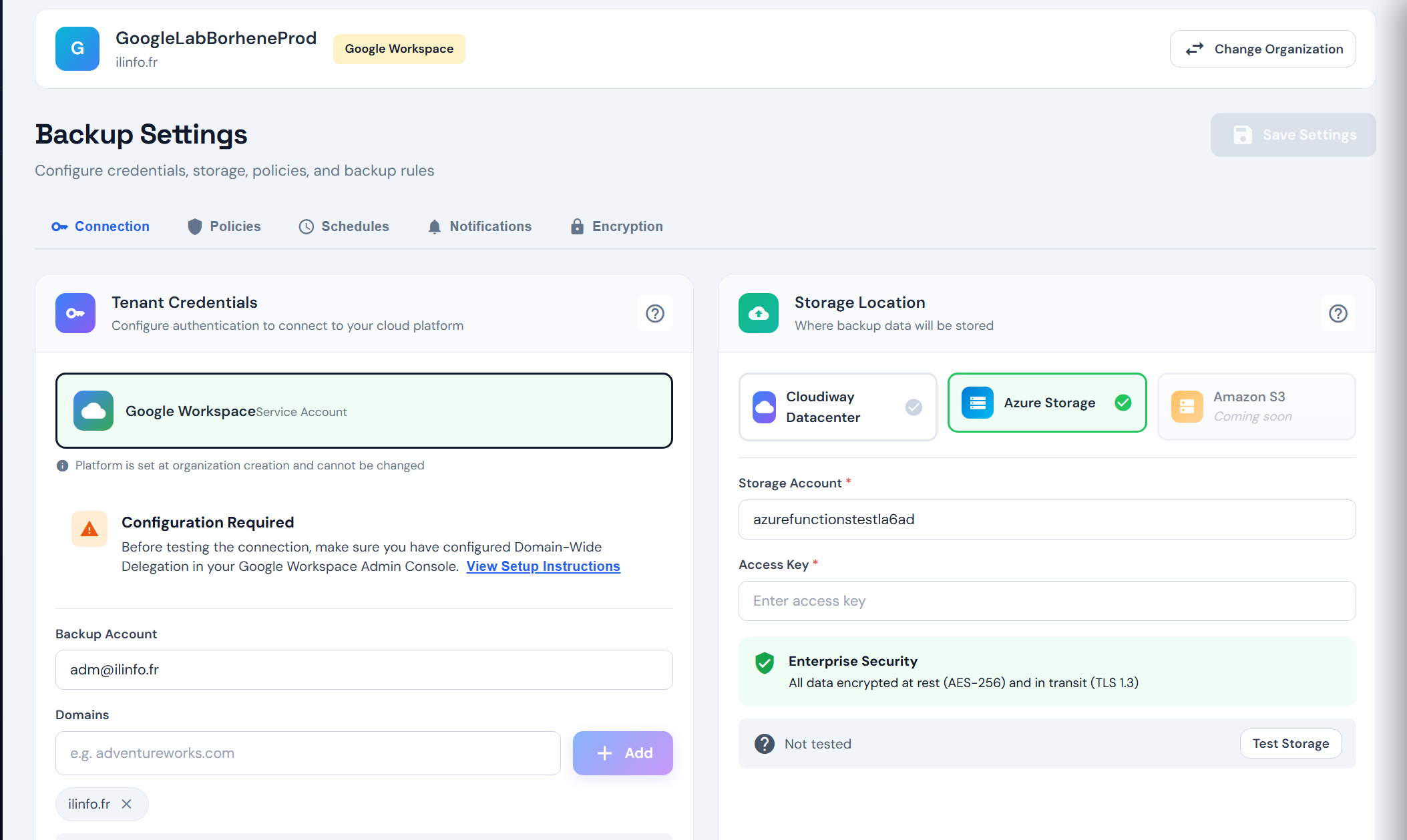
Select from multiple storage destinations to meet your data residency and compliance requirements. Store backups in the Cloudiway Datacenter, your own Azure Storage account, or Amazon S3 (coming soon).
Configure backup policies, schedules, notification preferences, and encryption settings from a unified settings panel. All data is encrypted with AES-256 at rest and TLS 1.3 in transit.
The Test Storage feature lets you validate your storage connection before running your first backup, ensuring everything is properly configured.
Flexible Restore Options
Recover exactly what you need, where you need it
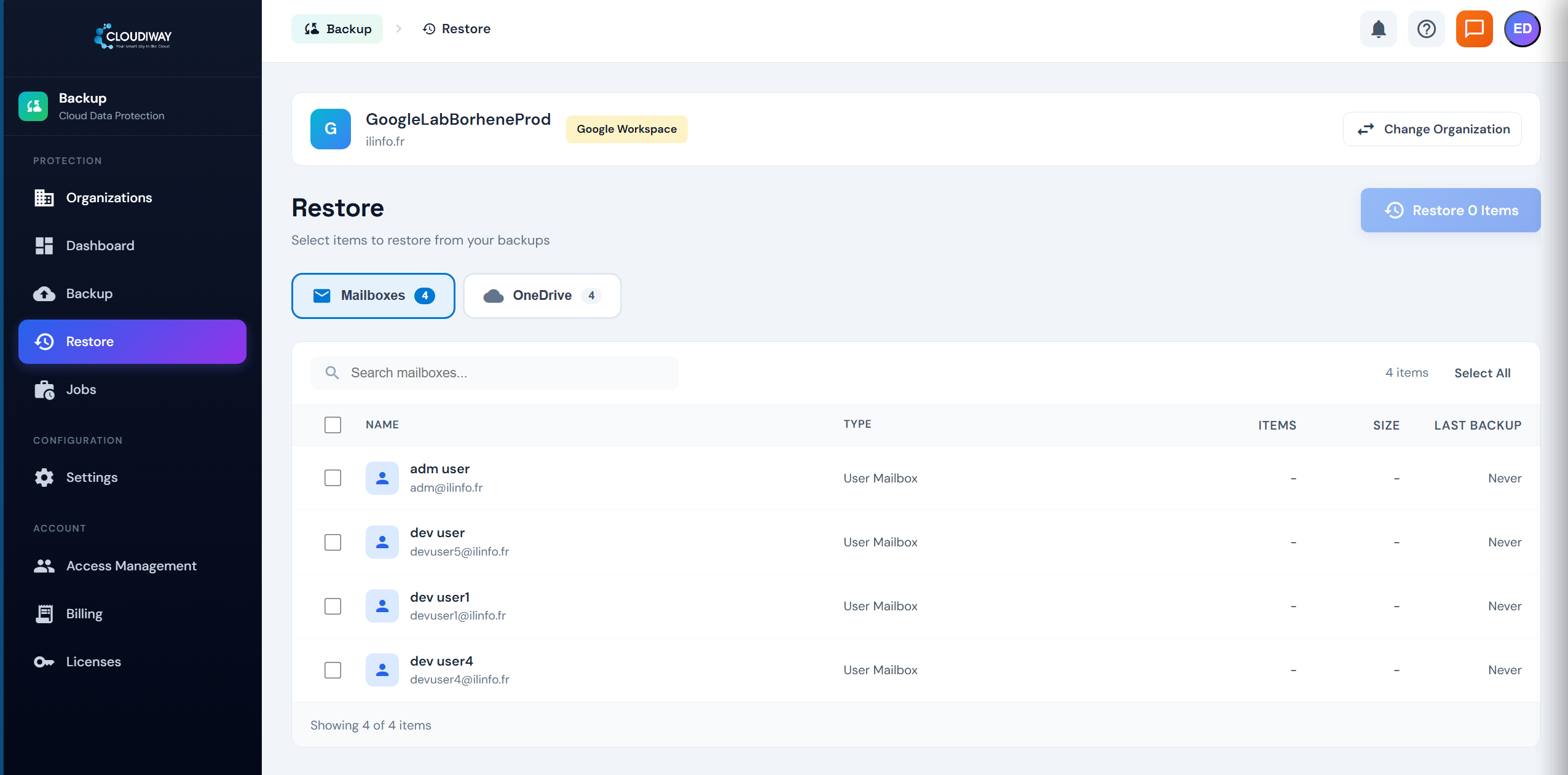
The Restore screen lets you browse all backed-up mailboxes and drives. Select individual items or entire accounts for recovery with full visibility into item counts, data sizes, and last backup dates.
Switch between Mailboxes and OneDrive tabs to restore email and file data independently. Use search to quickly locate specific users.
Choose from multiple restore destinations: original location for in-place recovery, new folder for side-by-side comparison, different mailbox (coming soon), or download as PST (coming soon).
Point-in-Time Recovery
Choose your restore point and destination with precision
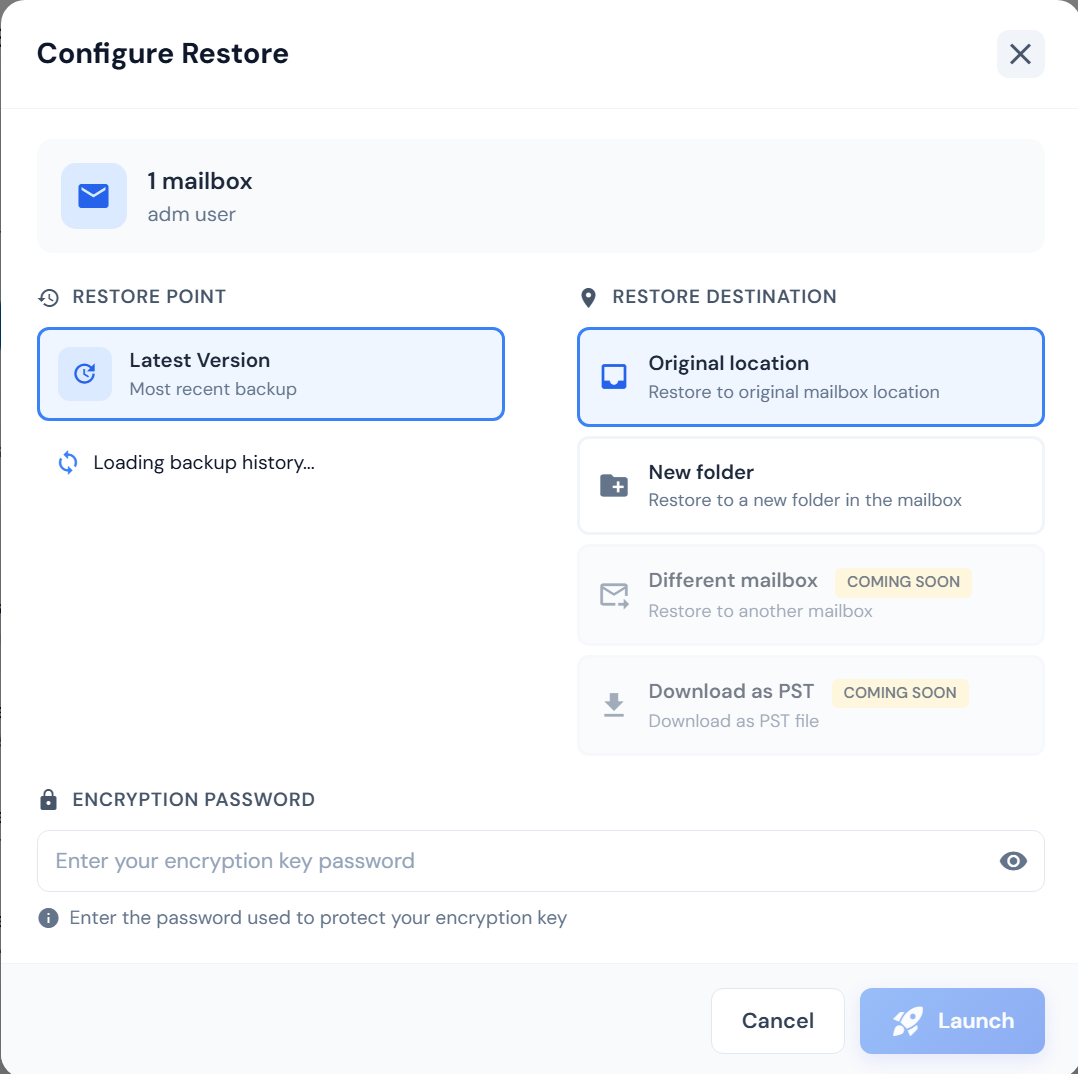
The Configure Restore dialog gives you full control over the recovery process. Select a specific restore point from your backup history or use the latest version for the most recent data.
Pick your restore destination: original location, new folder, different mailbox, or PST download. Each option is designed for different recovery scenarios, from quick restores to forensic investigations.
If encryption is enabled, enter your encryption key password to decrypt the backup data before restore. This ensures that only authorized personnel can access the backed-up data.
Enterprise-Grade Data Protection
Everything you need to protect your cloud data at scale
Automated Daily Backups
Schedule automatic backups of your entire Microsoft 365 and Google Workspace environment with flexible retention policies.
Point-in-Time Recovery
Restore data to any specific point in time. Recover individual emails, files, or entire mailboxes in minutes.
AES-256 Encryption
Enterprise-grade security with AES-256 encryption at rest and TLS 1.3 in transit. Bring your own encryption key for full control.
Multiple Storage Locations
Choose where your backups are stored: Cloudiway Datacenter, Azure Storage, or Amazon S3 (coming soon).
Multi-Tenant MSP Support
Manage multiple organizations from a single console. Perfect for MSPs and IT service providers with centralized license management.
Granular Restore Options
Restore to original location, a new folder, or a different mailbox. Download as PST for offline archival (coming soon).
What Data is Protected
Comprehensive backup coverage across Microsoft 365 and Google Workspace
| Data Type | Microsoft 365 | Google Workspace |
|---|---|---|
| User Mailboxes | ||
| Shared Mailboxes | ||
| Archive Mailboxes | ||
| OneDrive / Google Drive | ||
| Shared Drives | ||
| Folder Structure | ||
| Permissions & Sharing | ||
| Contacts | ||
| Calendars | ||
| Metadata & Timestamps |
How SaaS Backup Works
Get started protecting your cloud data in four simple steps
Add Organization
Connect your Microsoft 365 or Google Workspace tenant using OAuth 2.0 secure authentication.
Configure Settings
Choose storage location, set backup policies, configure schedules, and enable encryption.
Discover & Select
Auto-discover all mailboxes and drives, then select which users to protect.
Backup & Restore
Automated daily backups run on schedule. Restore any data to any point in time when needed.
SaaS Backup FAQ
Everything you need to know about cloud data protection
01 What is SaaS backup and why do I need it?
SaaS backup is a data protection solution that creates independent copies of your cloud data (Microsoft 365, Google Workspace). While Microsoft and Google ensure platform availability, they do not protect against accidental deletion, ransomware, malicious insiders, or retention policy gaps. A dedicated backup solution ensures you can always recover your data.
02 What Microsoft 365 data can Cloudiway back up?
Cloudiway backs up Exchange Online mailboxes (user, shared, and archive), including emails, contacts, calendars, and tasks. OneDrive for Business files and folder structures are also protected. All metadata, permissions, and timestamps are preserved.
03 What Google Workspace data can Cloudiway back up?
Cloudiway backs up Gmail mailboxes (user and shared), Google Drive files including Shared Drives, contacts, and calendars. Folder structures, sharing permissions, and metadata are fully preserved during backup and restore.
04 How does point-in-time recovery work?
Cloudiway stores incremental snapshots of your data with each backup run. When you need to restore, you can browse your backup history and select the exact point in time to recover from. You can restore individual items (a single email or file) or entire mailboxes and drives.
05 Where is my backup data stored?
You choose the storage location during setup. Options include Cloudiway Datacenter (EU-based), your own Azure Storage account, or Amazon S3 (coming soon). All data is encrypted with AES-256 at rest and TLS 1.3 in transit, regardless of storage location.
06 Can I use my own encryption key?
Yes. Cloudiway supports customer-managed encryption keys. You set an encryption password that protects your backup data. Without this password, neither Cloudiway nor anyone else can access your backed-up data, giving you full control over data sovereignty.
07 Is Cloudiway Backup suitable for MSPs?
Absolutely. Cloudiway Backup is built with MSPs in mind. The multi-tenant console lets you manage multiple client organizations from a single dashboard with centralized license management, per-organization billing tracking, and role-based access control.
08 How often are backups performed?
Backups can be scheduled to run automatically on a daily basis. You can configure the backup frequency and retention policies per organization. On-demand backups can also be triggered at any time from the dashboard.
09 What are the restore destination options?
You can restore to the original location (in-place restore), to a new folder within the same mailbox, to a different mailbox (coming soon), or download as a PST file for offline access (coming soon). Each option preserves the original folder structure and metadata.
10 How is Cloudiway Backup priced?
Cloudiway Backup uses per-user licensing. Each license covers one user mailbox and associated OneDrive/Google Drive. Volume discounts are available for large deployments and MSP partners. Contact sales for a custom quote or start with a free trial.
11 Does Cloudiway Backup protect against ransomware attacks on Microsoft 365 data?
Yes. Backups are stored in immutable, isolated storage outside your Microsoft 365 tenant, so encrypted or maliciously deleted source items can be restored even if attacker credentials remain valid in the source tenant. Point-in-time restore lets administrators roll any mailbox, OneDrive, SharePoint site or Teams channel back to a state immediately preceding the ransomware event.
Backup Resources
Documentation, pricing, and expert guidance
Start your free trial and see how easy SaaS backup can be for Microsoft 365 and Google Workspace.