What SharePoint Advanced Management does
SAM is included with Microsoft 365 Copilot licences as soon as one licence is assigned in the tenant. Its oversharing features are the ones that matter for readiness:
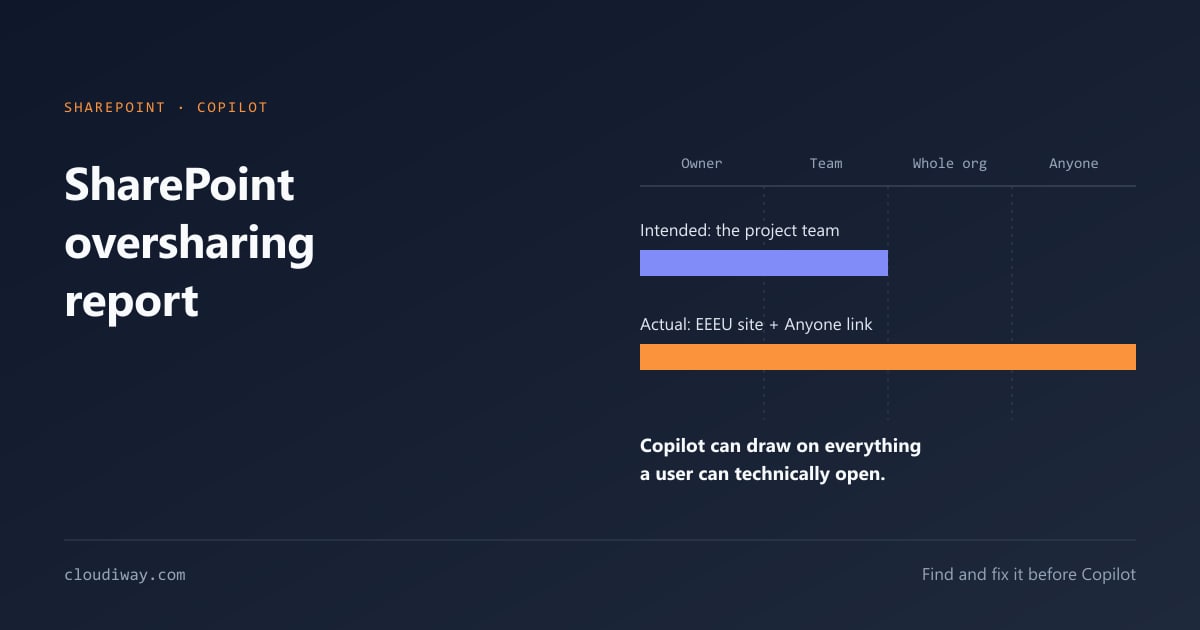
- Data access governance (DAG) reports cover sharing links, sites shared with Everyone Except External Users and, with an E5 licence, sensitivity labels. Site access reviews hand each report to the owners of the overshared sites.
- Permission state reports give a snapshot of how broadly sites, OneDrive accounts and files are exposed.
- Restricted content discovery (RCD) keeps high-risk sites from surfacing in Copilot and organization-wide search.
- Restricted access control (RAC) limits a site to specific security groups.
- Content management assessment, together with site ownership, inactive site and site attestation policies, addresses sprawl and abandoned sites.
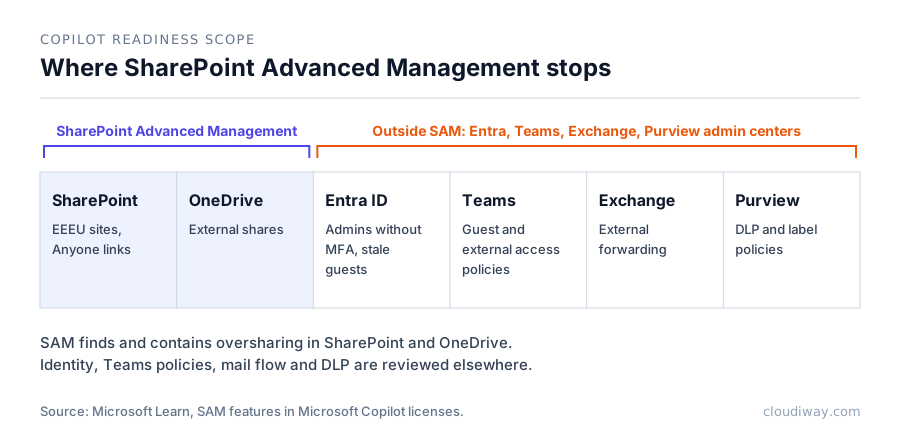
Where SharePoint Advanced Management stops
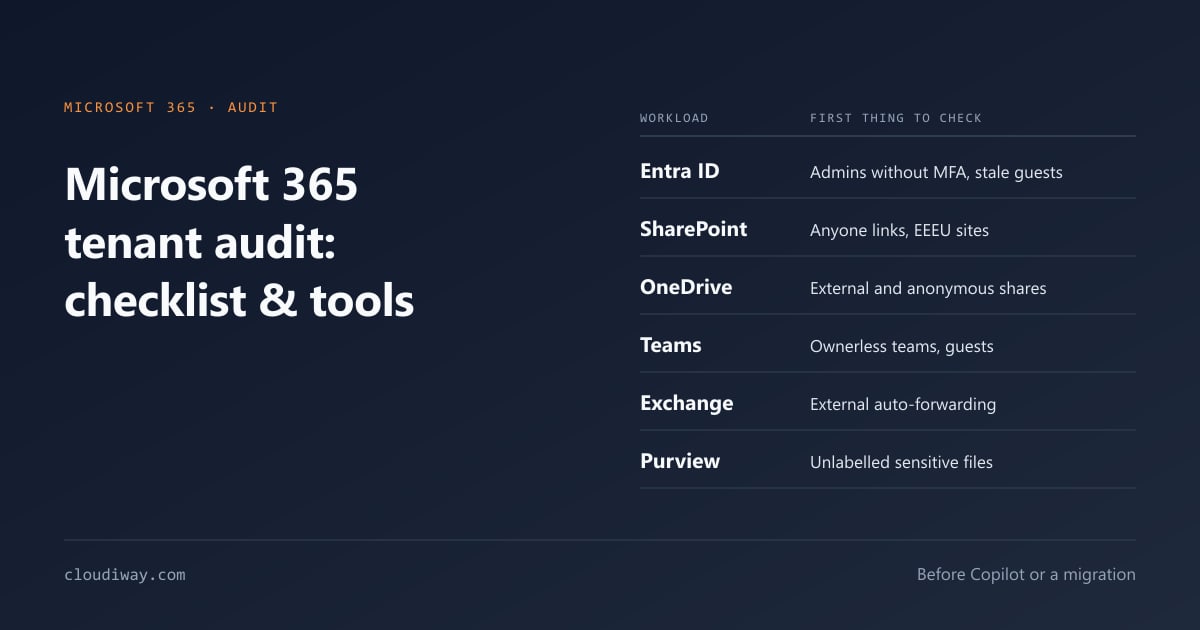
- Scope: SharePoint and OneDrive, including the sites behind Teams. Admins without MFA, stale guests in Entra ID, Teams guest and external access policies, Exchange forwarding rules and Purview DLP policies need other portals.
- No readiness score: findings are reports, not a single number you can present to a CIO or track over time.
- Containment, not remediation: RCD hides a site from Copilot discovery but leaves the underlying access in place.
- No client deliverable: for an MSP, SAM reports are not branded or packaged for an end customer.
SAM vs ShareGate Protect vs Cloudiway: comparison
| SharePoint Advanced Management | ShareGate Protect | Cloudiway AI Readiness Assessment | |
|---|---|---|---|
| Type | Native Microsoft add-on | SaaS governance platform | SaaS assessment platform |
| Cost | Included with Copilot licences; otherwise a paid add-on | Annual subscription per licensed user; free trial | Subscription; free first assessment |
| Main purpose | Contain oversharing in SharePoint and OneDrive | Ongoing oversharing visibility and workspace governance | Scored pre-deployment audit of the whole tenant |
| Workloads | SharePoint, OneDrive | Teams, SharePoint, Microsoft 365 Groups, OneDrive | Teams, SharePoint, OneDrive, Exchange, Entra ID, Purview |
| Readiness score | No | No single score; findings sorted by severity | CAF Score 1.0–5.0, four weighted pillars |
| Time to first result | Report generation per scope | "In minutes" according to the vendor; no published scan time | About 90 minutes, read-only OAuth |
| AI-specific features | Restricted content discovery, AI insights on reports | AI tool exposure monitoring, MCP server for Claude, ChatGPT and Copilot | Copilot and Gemini readiness per tenant, prerequisite checks, risk catalog |
| MSP delivery | No | Partner program with client-ready assessments; licences owned by the end customer | Full white-label on reports, emails and interface |
Sources, October 2026: Microsoft Learn, ShareGate, Cloudiway.
Which one to use
SAM alone fits a small tenant where SharePoint is the main exposure, IT has time to work through the reports, and no external sign-off is needed.
ShareGate Protect fits organizations that want continuous governance: ongoing oversharing monitoring, workspace lifecycle and, increasingly, monitoring of connected AI tools.
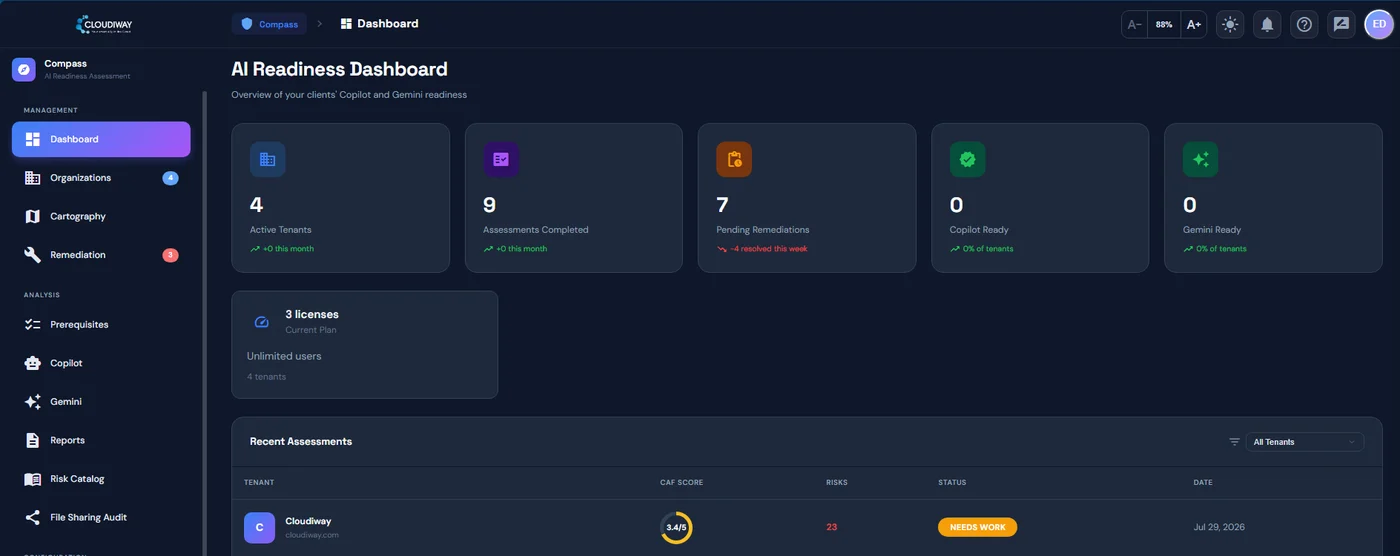
The Cloudiway AI Readiness Assessment fits a go/no-go decision before Copilot: one scan across all six workloads, one CAF Score, and an executive PDF that management can act on. It also fits MSPs and Microsoft partners who sell readiness assessments under their own brand through the MSP program, with every client tenant in one dashboard.
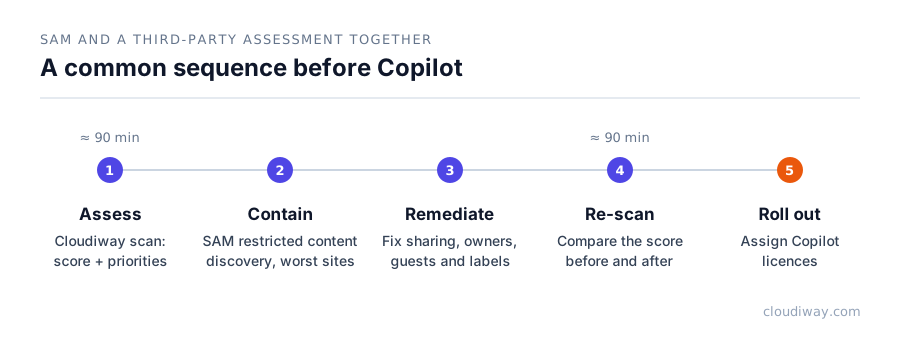
The options are not exclusive. A common sequence is a Cloudiway assessment to score and prioritize, SAM's restricted content discovery to contain the worst sites during remediation, then a re-scan before rollout.
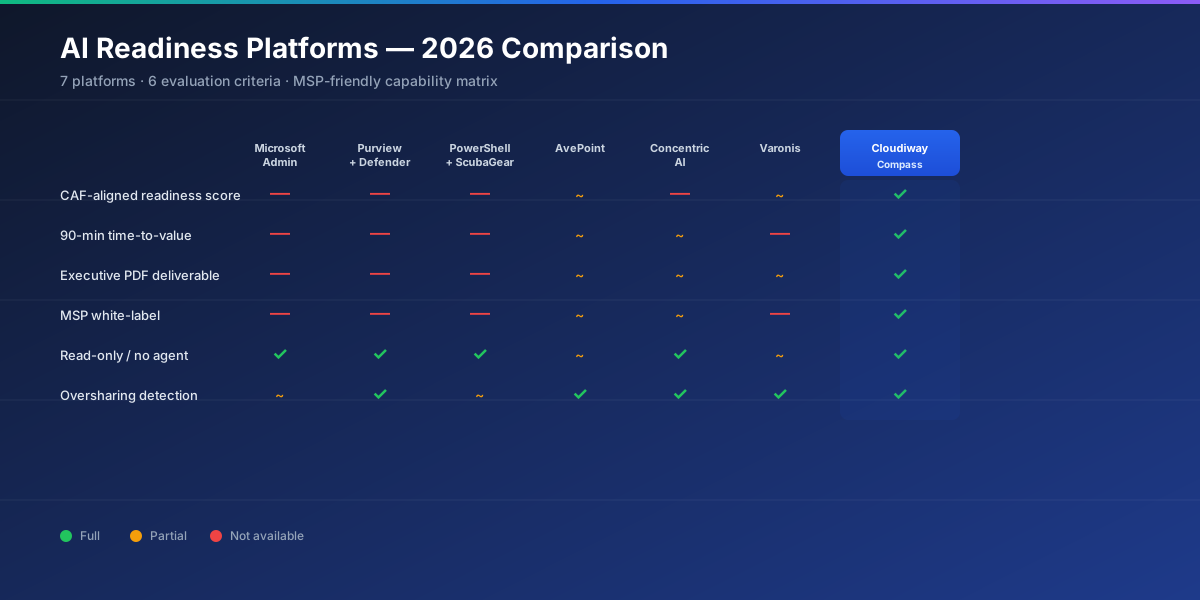
For a wider market view, see our comparison of 7 AI readiness assessment platforms.
See what SAM does not cover, in 90 minutes
A read-only scan of Entra ID, SharePoint, OneDrive, Teams, Exchange and Purview, with one CAF Score and an executive report.
Start a free AI Readiness Assessment →Frequently asked questions about SharePoint Advanced Management
Is SharePoint Advanced Management free?
It is included once at least one Microsoft 365 Copilot licence is assigned in the tenant. Without Copilot it is a paid add-on, SharePoint Advanced Management Plan 1.
Does restricted content discovery fix oversharing?
No. It prevents passive discovery in Copilot and organization-wide search, except for users who recently interacted with the site, but users keep their access. Permissions still have to be corrected.
What is the best alternative to SharePoint Advanced Management?
It depends on the goal. For continuous governance, ShareGate Protect is a common choice. For a scored audit of the full tenant before Copilot, the Cloudiway AI Readiness Assessment covers what SAM does not: identities, Teams, Exchange and Purview.
Can I use SAM and a third-party tool together?
Yes. Third-party assessment tools read the tenant in read-only mode and do not conflict with SAM policies.