This guide covers what a complete tenant audit checks, which tools do the job, and how to choose between a manual audit and an automated one.
Why audit your Microsoft 365 tenant before deployment
Most tenants were configured for speed, not for exposure control. Over years, guests pile up, sites lose their owners, and sharing links outlive the projects that created them.
That debt stays invisible until a deployment exposes it:
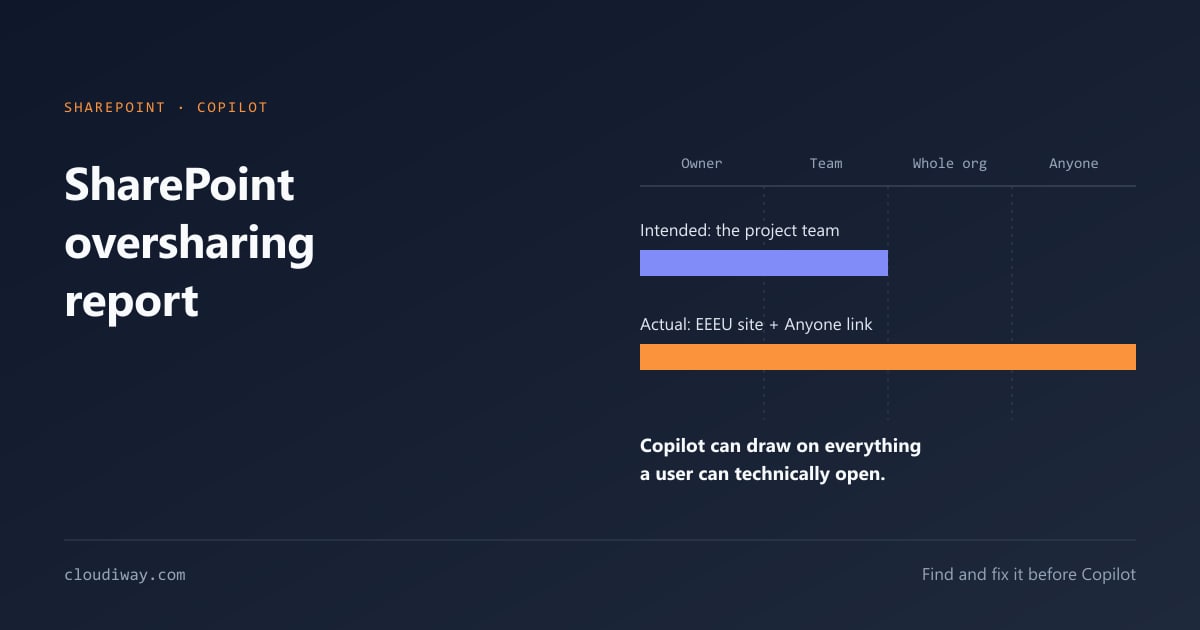
- Microsoft 365 Copilot surfaces every file a user can technically open. Overshared content becomes discoverable in a prompt. Our SharePoint oversharing report guide details the patterns to look for.
- A tenant-to-tenant migration copies the permission model as-is. Oversharing in the source tenant lands in the target.
- A security or cyber-insurance review asks for MFA coverage, Conditional Access and audit logging evidence you may not have in one place.
Auditing first means you fix the problems once, before they are amplified.
The Microsoft 365 tenant audit checklist
A complete audit covers six workloads. Use this as your M365 audit checklist.
Entra ID (identity)
- Admin accounts without MFA, and the number of permanent Global Administrators
- Conditional Access gaps, including legacy authentication not blocked
- Guests who have not signed in for 90+ days
- Guest edit permissions and invitation settings
SharePoint Online
- Anonymous ("Anyone") sharing links
- Sites shared with Everyone or Everyone Except External Users
- Broken permission inheritance on libraries and folders
- Sensitive files outside protected sites
OneDrive for Business
- External shares and anonymous links
- Files exposed through Teams chat attachments
Microsoft Teams
- Teams without owners
- Guest and shadow users
- Private channels and their underlying sites
Exchange Online
- Automatic forwarding to external domains
- Suspicious inbox rules
- Full Access and calendar delegations
Microsoft Purview
- Sensitive files without sensitivity labels
- Gaps in DLP policies
- Unprotected personal and financial data
For a Copilot-specific version of this list, see the AI readiness checklist for Microsoft 365 Copilot.
Tools for a Microsoft 365 tenant audit
No single native tool covers all six workloads. Most audits combine several options.
| Tool | Type | Best for | Limits |
|---|---|---|---|
| Microsoft Secure Score | Native, included | A first security baseline | No permission or oversharing detail |
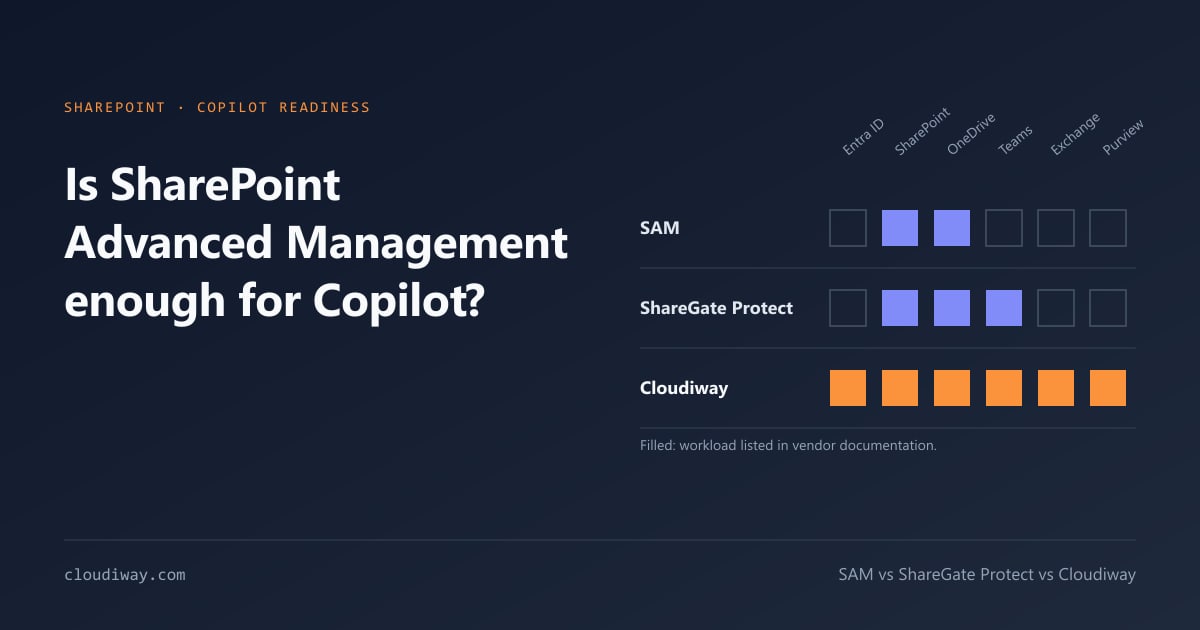
| SharePoint Advanced Management | Native, included with Copilot licences | Data access governance reports on SharePoint and OneDrive | SharePoint and OneDrive only; no Exchange or Entra scoring |
| ScubaGear (CISA) | Open source | Configuration baselines for regulated sectors | PowerShell skills required; output is not an executive report |
| Maester, Monkey365, ORCA | Open source | Configuration and Defender checks | Point checks, consolidation is manual |
| Cloudiway AI Readiness Assessment | SaaS | Full tenant audit with one score and ready-to-share reports | Microsoft 365 only |
Wondering whether the native option is enough? We compare it in SharePoint Advanced Management vs third-party tools.
Manual audit vs automated tenant assessment
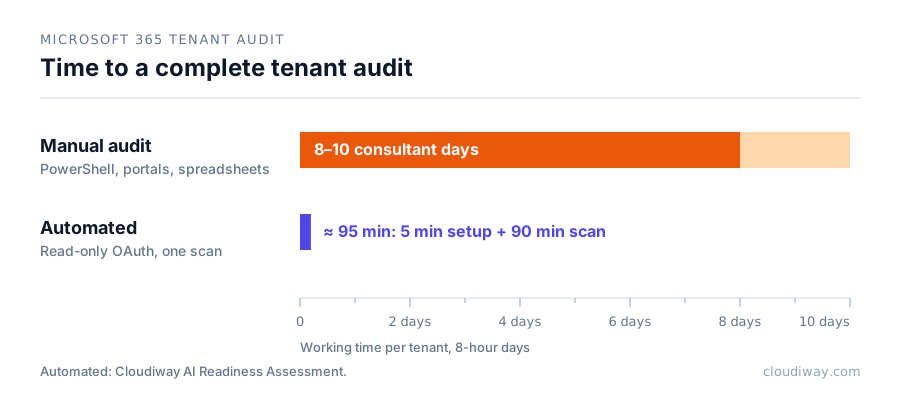
A manual audit combines PowerShell scripts, five or more admin portals and spreadsheets. It typically takes 8 to 10 days of senior consultant time per tenant, and results vary with the auditor.
An automated M365 tenant assessment replaces that work with one read-only scan. The Cloudiway AI Readiness Assessment connects through read-only OAuth in about 5 minutes. It then runs 100+ checks across 19 risk categories in roughly 90 minutes.
The output is a CAF Score from 1.0 to 5.0, aligned with the Microsoft Cloud Adoption Framework and weighted across four pillars: Data Security (40%), Governance (25%), Compliance (25%) and Infrastructure (10%). Findings are also counted by severity, from critical to low, next to an inventory of what was scanned.
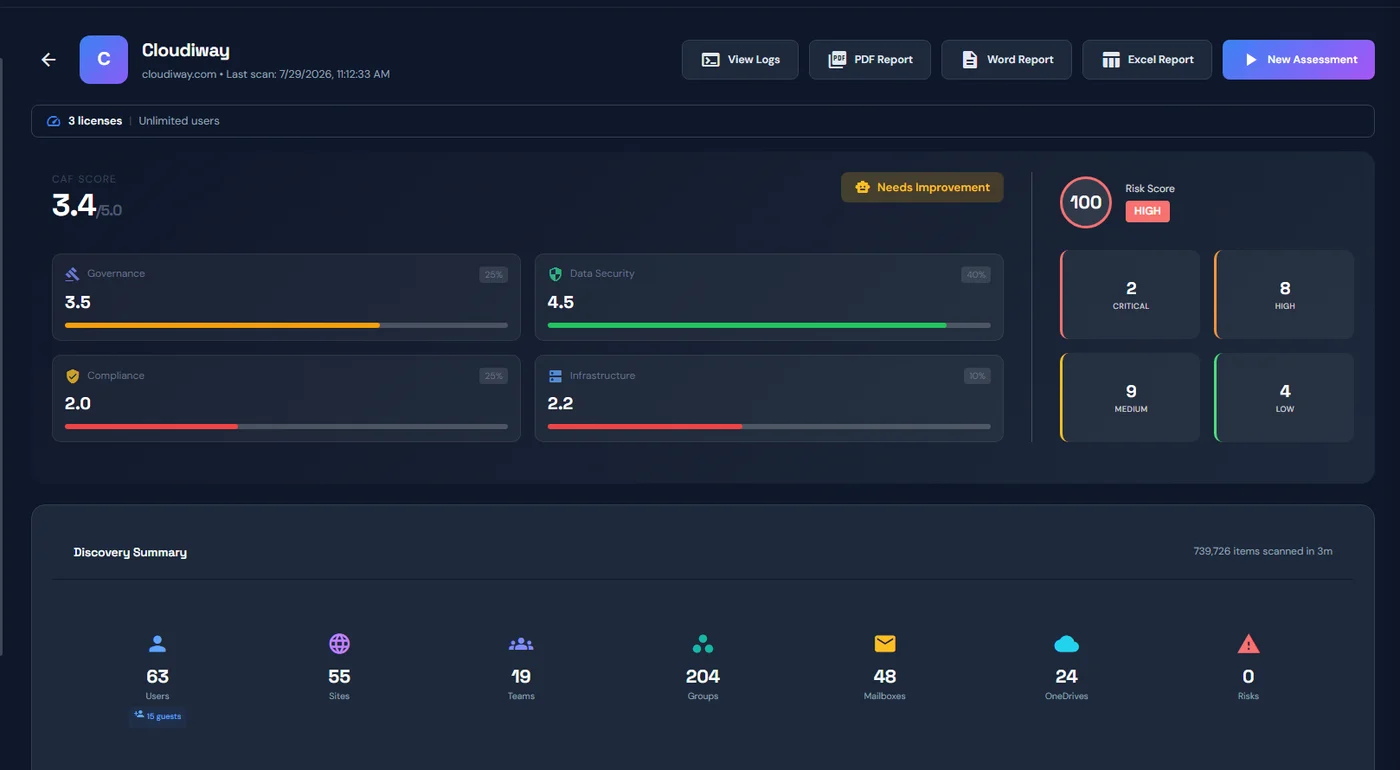
Three deliverables follow: a 6-page executive PDF, a risk PDF by severity, and an 8-tab technical Excel workbook, with a Word version of the report. An interactive UI then tracks remediation and re-scores the tenant over time.
The audit is useful even without Copilot. CHEOPS Technology, an IT services firm, uses the same assessment for Microsoft 365 security audits on clients with no Copilot plans (read the case study).
How to run your first tenant audit
- Grant read-only access. A Global Reader account or read-only OAuth consent is enough. Nothing in the tenant is changed.
- Scan all six workloads. Partial coverage hides the riskiest combinations, such as a guest with edit rights on an Everyone-shared site.
- Prioritize by exposure. Fix critical identity gaps and anonymous links first, then broad internal sharing.
- Re-scan after remediation. Compare the score before and after to prove progress to management.
The step-by-step guide to running an assessment in 90 minutes walks through each step in detail.
Audit your tenant in 90 minutes, read-only, no agent
One scan across Entra ID, SharePoint, OneDrive, Teams, Exchange and Purview, one CAF Score, and reports ready to share with management.
Start a free AI Readiness Assessment →Frequently asked questions about Microsoft 365 tenant audits
What is a Microsoft 365 tenant audit?
It is a read-only review of identities, permissions, sharing and security policies across Microsoft 365 workloads: Entra ID, SharePoint, OneDrive, Teams, Exchange and Purview. It produces a prioritized list of risks to fix.
How long does a Microsoft 365 tenant audit take?
A manual audit takes 8 to 10 senior consultant days per tenant. An automated assessment such as the Cloudiway AI Readiness Assessment runs in about 90 minutes after a 5-minute read-only OAuth setup.
Do I need Global Admin rights to audit a tenant?
No. Read-only access is enough. A Global Admin only has to grant consent once for a read-only application, and nothing in the tenant is changed.
Is a tenant audit the same as a Copilot readiness assessment?
A Copilot readiness assessment is a tenant audit focused on what Copilot could surface. The checks largely overlap, which is why the same scan serves both needs.
What is the best Office 365 tenant audit tool?
For configuration baselines, CISA's ScubaGear is a free reference. For a full audit with one score and client-ready reports, a dedicated platform such as the Cloudiway AI Readiness Assessment saves days of consolidation.